

April 4, 2026
How to Start Online Ordering: A Step-by-Step Guide to Building a Commission-Free Channel From Scratch
Most owners who want to start taking online orders get stuck in the same place. Signing up for Uber Eats or Deliveroo takes half an hour, but 15 to 35 percent of every order disappears as commission. Picture a home-style restaurant called Garden Kitchen: 900 orders a month, an average ticket of around $12, roughly $11,000 in monthly revenue. When a marketplace takes a 28 percent cut, close to $3,000 a month leaves the till before the food is ever plated. That money is a cashier's salary, the rent gap on an oven, an entire advertising budget.
The fix is not to run from the marketplace, but to build your own channel alongside it. When you open a commission-free online ordering site and app on your own domain, under your own logo, every order comes straight to you. The difference stays in your pocket. Building this channel with RestApp takes no technical knowledge. In this article we walk through every step in order, from preparing the menu to switching on payments, from defining your courier to going live.
Whether you are a brand-new cafe or a restaurant that has been stuck on marketplaces for years, the roadmap here is clear enough to set up in a single evening. We start from zero and finish with you ready to pick up the phone and take your first commission-free order. You can open a free account and apply the steps in parallel as you read.
Step 1: Move your menu online

Everything starts with the menu because it is the first thing a customer sees. If you have a printed menu or an Excel list, you need to move the items into digital form category by category: starters, mains, drinks, desserts. RestApp's digital menu structure lets you add a photo, description, price and prep time to every item. A good photo visibly lifts the average ticket, so use appetizing images instead of a plain list.
While building the menu, do not skip portion options and add-ons. For a pizzeria, variations like crust thickness, extra cheese or a second sauce both personalize the order and grow the ticket. In RestApp you can define these options as required or optional and set a separate price for each. The customer no longer has to call to ask 'spicy or not spicy,' and the order comes through clearly.
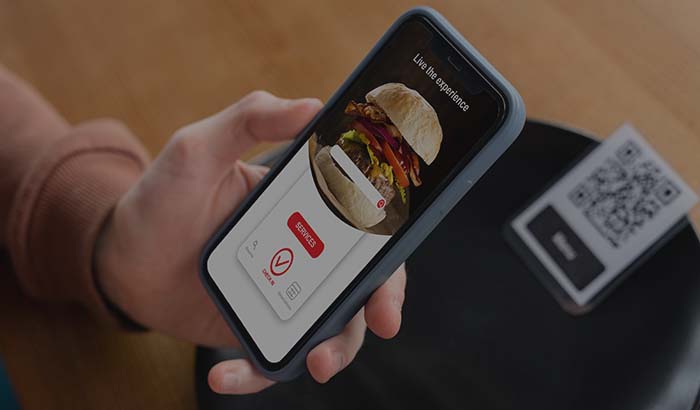
If you also want to use the same menu at the table via QR, one setup is enough. With a QR menu, the customer in the dining room sees the same menu from the table that the customer at home sees from the site, and you change a price in one place. Setting the menu up properly once speeds up every step that follows.
Step 2: Set up your domain and ordering site
Having your own channel means having your own address. On a marketplace you are 'such-and-such restaurant, 4.2 stars, one among 200 similar listings.' On your own domain you are the brand. The ideal is a short, memorable address: a subdomain like order.gardenkitchen.com, or simply gardenkitchen.com. RestApp gives you a branded ordering site and mobile app, and connecting your domain is a DNS setting that takes a few minutes.
When the site goes up, upload your logo, brand colors and cover image. When a customer lands on the site, they should enter your world, not the marketplace's. At this stage you also define the basic rules: opening hours, minimum order value, which areas you deliver to. When these rules are clear, the kitchen does not prepare orders for nothing, and the customer does not place an order while you are closed and end up disappointed.
Alongside the ordering site, letting the customer install a real app on their phone is critical for loyalty. A customer who downloads the app once will not even open the marketplace on their second order. When building the channel, keep different order types open: delivery, pickup and dine-in ordering can all be managed from a single panel.
Step 3: Turn on online payment and pay-on-delivery
The customer has filled the basket, and it is time to pay. Keeping both routes open here lifts conversion: online card payment and cash or card on delivery. Thanks to the online payment integration, the money goes straight to your account, with no 'paid next week' wait like on a marketplace. Once the payment gateway is connected, secure 3D Secure payment works in one tap.
The concrete benefit of online payment is that collection is locked in. With pay-on-delivery, if the customer does not open the door or changes their mind, the product is left on your hands. With a payment taken up front, that risk drops to almost nothing. Still, to avoid forcing the habit of neighborhood customers, keep the pay-on-delivery option as well; over time you will see that share shift toward online payment.
Once payment is on, see the commission difference in real numbers. On a marketplace, a 28 percent cut on a $12 order is roughly $3.40; on your own channel there is only the payment gateway's 1 to 2 percent processing fee, and the rest stays with you. To see that difference, you can run the numbers with your own order volume on the pricing page.
Step 4: Define delivery zones and your courier
The order has come in, and now it has to reach the customer. The first job is to clarify the area you deliver to. With delivery zones you can draw zones on the map neighborhood by neighborhood and set a separate minimum order and delivery fee for each. If you cannot reach a distant area within 30 minutes, leaving it out of coverage cuts off complaints about cold food before they start.
You can set up the courier in two ways: your own delivery driver, or a contracted delivery company. If you have your own courier, you assign the order to them from the panel and the customer sees that the courier is on the way. Rather than passing the courier cost into the plate, it is usually healthier to balance it with a delivery fee, because keeping the product price low increases the number of orders.
The link that connects the kitchen to delivery is the kitchen display system. The moment an order lands, it appears on the KDS, the cook prepares it, and when it is ready the courier is notified. Once this flow is in place, no paper ticket goes missing and there is no 'which order is stuck where' confusion. On a busy Friday night, this is where you feel the difference the most.
Step 5: Test and take the channel live
Before going live, place an order yourself from start to finish. Open the site, pick a product, add an extra, type in an address, pay by card. Check whether the order lands on the kitchen display, whether the ticket prints correctly, and whether the delivery fee is calculated correctly. This five-minute test prevents dozens of glitches on launch day.
While testing, do not forget the order ticket side. If you take orders at the table in the dining room, order tickets and cloud POS bring online orders and dine-in checks together in the same system. So at the end of the day you do not look in two separate places to ask 'what did I sell online, what did I sell in the dining room' a single report shows everything. Walking the staff through this flow once is usually enough.
If everything works, announce the channel. Put QR stickers on the tables, hang a sign at the counter reading 'order commission-free from our own site,' share the link on Instagram, add a business card with your domain to delivery bags. In the first week you can offer a small discount to pull marketplace customers onto your own channel; a customer who switches once usually stays.
Step 6: Grow the channel with loyalty and reports
The channel is open and the first orders have come in. Now the work is to grow it. The most valuable thing a marketplace will not give you is customer data; on your own channel, every customer's phone number, address and order history is yours. With loyalty and promotion tools you can set up a 'your fifth order is on us' campaign or send a special discount to a customer who has not ordered in a while. None of this is possible on a marketplace.
Which product sells how much, which hours are busy, which neighborhood is more profitable: the answers are in cloud reports. From your phone you can open them and see live revenue, the best-selling item, the average ticket. You make decisions like dropping a weak item from the menu or adding staff during peak hours based on numbers, not guesswork.
Back to the Garden Kitchen example: three months after opening the channel, 40 percent of its orders were coming from its own site. Roughly half of the monthly commission stayed in its pocket, and with the rest it ran local ads and grew its own channel even further. For a deeper comparison, the marketplace commission vs. your own site article lays out a clear set of numbers.
Key takeaways
- The point of starting online ordering is not to run from the marketplace, but to build your own 0 percent commission channel alongside it and keep the difference in your pocket.
- Order matters: first the menu and domain, then payment and courier, and last the test and launch. Each step makes the next one easier.
- Turning on online payment locks in collection; instead of a marketplace's 15 to 35 percent commission, you pay only the 1 to 2 percent payment gateway fee.
- When the kitchen display, delivery zones and order tickets come together in one panel, you avoid order chaos and lost tickets during peak hours.
- The real gain is in customer data: with loyalty campaigns and cloud reports you grow your channel a little more each month.
Frequently asked questions
Do I need technical knowledge to start online ordering?+
No. Moving the menu online, connecting the domain and turning on payment are all done step by step from the panel. A single DNS setting is enough for the domain, and the rest works on drag-and-drop logic. You can take your channel live in one evening.
How much commission do I pay when taking orders from my own site?+
On your own channel, RestApp takes no order commission. The only cost is the payment gateway's 1 to 2 percent processing fee on online card payments. Compared with marketplaces' 15 to 35 percent commission, a significant portion of every order stays with you. You can run the numbers with your own volume on the pricing page.
Do I have to leave the marketplace?+
No, you can use both together. A marketplace can be a good shop window for discovering new customers; you pull those customers onto your own commission-free channel with loyalty and small discounts. The goal is to move the repeat customer onto your own site.
How do I handle delivery if I don't have a courier?+
You have two options: you define your own delivery driver in the panel, or you work with a contracted delivery company. By drawing delivery zones on the map you set a separate fee and minimum order for each zone and close off out-of-coverage areas from the start.
Do I track online orders and dine-in table orders separately?+
No, they all come together in one system. With order tickets and cloud POS, dine-in orders, delivery and pickup all appear in the same panel. At the end of the day, a single report shows both online and dine-in sales together, so you do not have to look in two separate places.
Stop paying commission on your orders
Launch your own commission-free online ordering system with RestApp.