
June 20, 2026
What Is a Commission-Free Online Ordering System? The Complete Guide
A commission-free online ordering system is a digital sales channel that runs under your restaurant's own brand and takes no per-order percentage cut. While delivery marketplaces like Uber Eats and Deliveroo take somewhere between 15 and 35 percent of the order total, your own ordering site and mobile app carry no such cut. The customer orders directly from you, the money flows straight to you, and the customer data stays with you. RestApp brings together everything you need to set up this model in a single dashboard: your commission-free online ordering page, your mobile app, your order ticket and cloud POS system, and your QR e-menu.
Let's make this concrete with an example. Joe's Burgers takes 1,000 delivery orders a month at an average ticket of $20, which adds up to $20,000 in monthly marketplace revenue. A 25 percent commission pulls $5,000 of that out every single month. When those same orders shift to your own commission-free channel, that money stays in the kitchen, in ingredients, and in staff. This guide walks you through how to make that shift from start to finish.
Below you will see step by step how a commission-free system works, how the delivery and payment side is handled, how to move customers from the marketplace to your own channel, and which business type needs which features. If you want to try the system, open a free account and set up your own menu in minutes.
What is a commission-free online ordering system?
A commission-free online ordering system is a setup where the restaurant collects orders through its own domain, its own mobile app, and its own QR menu. Unlike the marketplace model, you do not pay a percentage cut on every order; instead you typically pay a fixed monthly subscription or package fee. That difference shows up at the end of the month. When you pay a fixed cost instead of a 25 percent commission, your per-order cost drops as order volume rises and your profit margin widens.
Three parts sit at the heart of the system. The first is the customer-facing front: your own branded ordering site and mobile app. The second is where the order lands in the kitchen and at the register: the order ticket and cloud POS together with the kitchen display system (KDS). The third is the back end that manages the menu and produces the reports: the cloud back office and cloud reports.
Customer data is another important distinction. When someone orders on a marketplace, their phone number, address, and habits belong to the marketplace; you cannot reach them directly. On your own channel, that data is yours. This opens the door to repeat orders, loyalty, and campaigns.
How does a commission-free system differ from a marketplace?
A marketplace hands you a ready-made customer base, and the price of that is a high commission. When a customer opens the app, they choose from dozens of restaurants; even if they pick you, that customer is tied to the platform, not to you. On their next order they might see a competitor's ad. On a commission-free channel the customer comes straight to your site or app, attention does not scatter, and the relationship is built with you.
The cost side is the most concrete difference. In our article comparing marketplace commissions with your own site we worked through the numbers in detail. Take a small coffee shop, Corner Coffee, with 600 orders a month at an average $10 ticket, for $6,000 in monthly revenue; a 30 percent commission takes $1,800 of that. On your own channel that money stays in the business, and you pay only a fixed software fee.
You can also review the practical steps of the commission-free online ordering system guide and its transition strategies, which cover commissions in depth. Running both channels together is also possible: keep the marketplace for visibility, and steer loyal customers toward your own commission-free channel.
How do your own site and mobile app work?

Your own ordering site is the storefront a customer reaches from a browser, where they see the menu, fill their cart, and pay. The mobile app, installed on the phone, can send notifications, offer quick reorders, and keep your brand on the screen. Digital menu images, descriptions, and prices are all updated from one dashboard; when you change a product's price, the site, the app, and the QR menu all update at the same time.
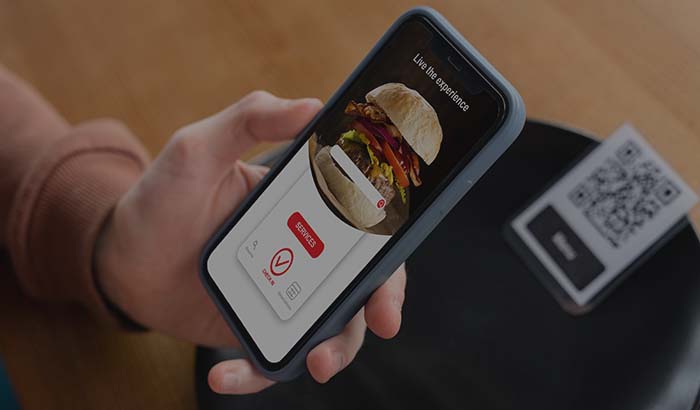
The customer chooses the order type: dine-in ordering, delivery, or pickup. You manage all order types on a single infrastructure. A seated customer scans the QR code and orders without waiting for a server, while a delivery customer enters their address and sees the delivery fee.
Setup is faster than you might think. You upload the menu, connect your domain or use a ready subdomain, define the payment method, and go live. With a free trial right now you can place a test order using your own menu.
How are delivery, delivery zones, and pickup managed?
On the delivery side, the first step is defining zones. With delivery zones you set which addresses you serve by neighborhood or radius, along with a minimum cart total and delivery fee for each zone. If the customer is out of range, they are warned during checkout, so an order that cannot be delivered never gets created.
You can run your own drivers or use a contracted delivery service. When an order is confirmed it is assigned to a driver, and its status is tracked from kitchen to dispatch to delivery. For pickup orders the customer gets a notification when their food is ready and collects it without waiting at the register, which cuts the queue during busy hours.
When delivery and pickup are managed together, operations balance out. A busy spot like Joe's Burgers, whose drivers fall behind during peak hours, can steer customers to pickup and push more orders out of the same kitchen capacity. Review our online ordering solution built for restaurants to see a setup that fits your own scenario.
Online payment and register integration
In a commission-free system the money flows straight to you. With online payment the customer pays upfront by card and the amount lands in your account; you can also enable cash or card on delivery. On a marketplace, payment passes through the platform and arrives late after deductions, whereas on your own channel the flow is faster and more transparent.
Online ordering and the dine-in register do not run separately. Orders from the site, app, and QR menu land on the same order ticket and cloud POS screen and are pooled in the same system as the dining room tables. The server takes orders at the table with the order-taking app, and online orders enter the same flow; at the end of the day a single report comes out.
Every sales line is tracked in real time with cloud reports. Which product sold how much, which hour was busy, what the average ticket was: these questions are answered on one screen. This data feeds every decision, from editing the menu to planning campaigns.
Moving customers from the marketplace to your own channel
The key to the transition is getting your existing customers used to your own channel. Putting a card with a QR code in the delivery box, printing your own site address at the bottom of the receipt, and sharing a direct order link on social media are the first steps. Once a customer places their first order on your own site, coming back a second time is far easier.
Loyalty and promotion tools speed up this shift. If you offer points, a discount, or a gift to anyone who orders through your own channel, customers start choosing you over the marketplace. Setups like a birthday discount, a treat on the fifth order, or a coupon on the first order raise the repeat-order rate.
When you design the transition, showing your team the numbers from our commission comparison article helps with motivation. The goal is not to shut down the marketplace overnight; it is to gradually slide loyal customers into your own commission-free channel and reduce the commission you pay every month.
Which features for which business type?
A commission-free system is not one size fits all; the features that stand out change with your business. For high-volume fast food businesses, the kitchen display system (KDS) is critical; orders reach the kitchen accurately and in order. For products with options like pizza and burgers, the add and remove ingredient menu has to be set up correctly.
For cafes, the QR menu and dine-in ordering stand out; the customer orders from the table without waiting for a server, and turnover speeds up. Bakeries and patisseries use pickup and pre-ordering, collecting special-occasion orders in advance. Markets and grocery stores need a wide product catalog and delivery zone management.
For hotels and large catering operations, the solution built for hotels manages room service and restaurant orders separately. Businesses that take reservations also plan table occupancy from the same system with the online reservation module. Whatever type you run, the core logic is the same: your own commission-free channel.
Cost, pricing, and return
The cost of the commission-free model is usually a fixed monthly or annual fee rather than a per-order charge. This means the unit cost drops as order volume rises. In a business paying 25 percent commission, the commission grows as revenue grows; with a fixed subscription you process more orders for the same fee. On the pricing page you can see the package details and which features are included.
The return calculation is simple. Compare the marketplace commission you pay each month with the monthly cost of the commission-free system. In the Corner Coffee example, when a fixed subscription is paid instead of $1,800 in commission, the difference stays in your pocket from the first month. As your order volume grows, that gap widens every month.
The unseen side of the investment is data. Once your customer list, order history, and behavior data build up in your own channel, you turn that data back into revenue through campaigns and loyalty. The healthiest approach is to run the math on your own numbers with a free trial.
Key takeaways
- A commission-free online ordering system lets you take orders from your own site and app without paying the marketplace's 15 to 35 percent commission.
- Site, mobile app, QR menu, and the dine-in register are pooled in a single order ticket and cloud POS system; all orders land in the same flow.
- Delivery, delivery zones, and pickup are managed from one dashboard; payment lands in your account directly and quickly.
- With loyalty and promotion tools you gradually move marketplace customers into your own commission-free channel.
- Thanks to the fixed monthly fee, unit cost drops as order volume grows, and the customer data stays with you.
Frequently asked questions
Does a commission-free online ordering system really take no commission at all?+
Yes. On orders that come through your own site and app there is no per-order percentage cut. You typically pay a fixed monthly or annual subscription fee; that fee does not change as your revenue grows.
Do I have to leave the marketplace entirely?+
No. Many restaurants use both channels together: they keep the marketplace for visibility and steer loyal customers to their own commission-free channel. Over time you can shift the bulk of your orders to your own channel and reduce the commission load.
How do I handle delivery, and what if I have no driver of my own?+
You can track your own driver in the system or use a contracted delivery service. With delivery zones you define your coverage area and block out-of-range addresses during checkout. The pickup option also reduces the delivery load.
When does the online payment money reach me?+
If the customer pays by card on your own channel, the amount flows to your account directly through your payment infrastructure. It is not a delayed, after-deduction payment like on a marketplace, but a more transparent and faster flow.
Do my dine-in register and online orders run separately?+
No, the two merge into a single system. Orders from the site, app, and QR menu land on the same order ticket and cloud POS screen as the dining room tables, and they are gathered into a single report at the end of the day.
How long does setup take, and do I need technical knowledge?+
Uploading the menu, connecting your domain, and defining the payment method take minutes; no technical knowledge is required. You can open a free account, place a test order with your own menu, and try it before going live.
Stop paying commission on your orders
Launch your own commission-free online ordering system with RestApp.