

June 17, 2026
Restaurant Order Ticket and Cloud POS System Guide (2026)
What keeps a restaurant running is not the device at the counter, it is the system behind it. The server takes the order at the table, the kitchen prepares the right item at the right time, the counter settles the bill in seconds, and at the end of the day you can see exactly how much of each item sold and how much it earned you. An order ticket and cloud POS system builds precisely this chain. In businesses that still run on old cash registers and paper order tickets, every link in that chain accumulates loss, wrong orders and hidden costs.
This guide covers a restaurant order ticket and cloud POS system from end to end: opening tables and tracking order tickets, sending orders to the kitchen with a kitchen display system (KDS), real time tracking of inventory and recipe cost, end of day analysis with cloud reports, and on top of all that, integrating commission free online ordering into the system. The goal is to build a restaurant that runs in a single flow, from the server at the table to the courier on a delivery run.
Here is the point worth flagging: most restaurants take a large share of their revenue through delivery marketplaces and pay between 15 and 35 percent commission per order to those platforms. A properly built order ticket and online ordering setup lets you bring both dine-in and delivery into one panel and shift that commission burden onto your own channel. In the sections below we open up each part of the system in turn.
What is an order ticket, and what does it solve in a restaurant?
An order ticket is the record where all orders belonging to a table or a customer are gathered into a single bill. The server opens the table, adds items, the ticket grows as the customer orders more, and when the bill is requested the counter takes payment based on that ticket. On a paper ticket this is written by hand and then entered into the register by hand. With a cloud POS, the moment the server enters the order on the device it hits the kitchen and is posted to the bill at the same time. That removes the double work and the errors caused by illegible handwriting.
The practical benefit is clear. Picture an 18-table place like Corner Coffee. During the evening rush, walking to every table twice and carrying the paper ticket to the register means hours lost per server. Once order tickets go digital, the order reaches the kitchen instantly, the server stays on the floor, and table turnover speeds up. We covered the concept of the order ticket in detail in our what is an order ticket article.
A modern order ticket system does more than write down orders. It also records which server is handling which table, when the bill was opened, and who applied the comps and discounts. At the end of the day these records turn into revenue and staff performance reports.
Table management and front-of-house flow
Table management is the floor plan rendered on the device. Each table is tied to an order ticket; the server selects the table, adds the order, merges or splits tables, and divides the bill per person. On a busy evening, splitting a six-person bill into three separate payments takes minutes on paper but finishes in a few taps on a cloud POS.
Front-of-house flow is not limited to tables. The same system manages dine-in, delivery and pickup channels on one screen. While the server closes a dine-in ticket, the counter sees the incoming delivery order at the same moment. You can review how order types are separated on the order types page, and the dine-in side on dine-in ordering.
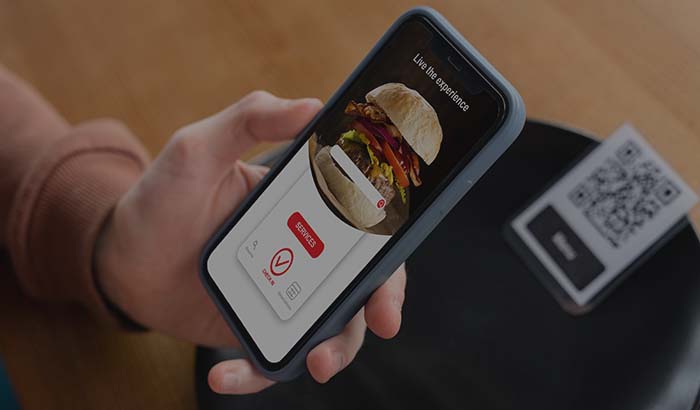
When you add a QR menu to the table, the customer can order from their own phone and that order posts straight to the ticket. This shortens the time spent flagging down a server and lifts table turnover. Combining a QR e-menu with table management noticeably reduces the load on servers, especially during peak hours.
How does an order reach the kitchen with a kitchen display system (KDS)?
A kitchen display system means the order the server enters lands on a screen in the kitchen instead of on a paper chit. Each order is routed separately to the grill, cold station and dessert station the moment it comes in. The cook sees on screen which order came in when, how long it has been waiting and which table it belongs to. The problem of chits lost in the printer queue, unread notes and forgotten orders disappears.
Joe's Burgers is a good example of this. During a rush it is hard to track from chits which of the 14 orders that hit the kitchen came in first. A KDS color-codes orders by entry order and prep time; an order that passes 8 minutes turns red. This standardizes prep time and keeps a late order from slipping through. You can find the details of the system in our what is a KDS kitchen display system article.
The real power of a KDS is merging dine-in and online orders into one queue. An order from the table and a delivery order from Corner Coffee's own website are prepared on the same screen, with the same prioritization. The kitchen sees a single flow. The kitchen display feature transforms this unified queue in terms of both speed and error rate.
Inventory, recipe and cost tracking
A restaurant's profit is often hidden not in the menu price but in the cost of the plate. Recipe-based inventory tracking defines how much of each ingredient goes into every item. When a burger is sold, the system automatically deducts 1 patty, 1 bun, 30 grams of cheese and a set amount of sauce from inventory. At the end of the day, the gap between the inventory you should have left and the inventory counted on the shelf shows waste and shrinkage directly.
The cost side is where the profit lives. If a burger you sell for a given price has an ingredient cost of, say, a third of that price, your gross margin is the rest. When the price of beef rises and the cost climbs, the system reports it immediately and you update the menu price or portion accordingly. Without recipes you would catch that gap in month-end accounting, usually too late.
Inventory and recipe data are gathered in the cloud back office; you can push menu, price and recipe changes to all branches from one panel. Because sales from online ordering draw from the same inventory, dine-in, delivery and pickup channels all run on a single real stock count. So an item that sells out in one channel closes automatically in the others as well.
Cloud reports and end-of-day analysis
One of the most concrete benefits of a cloud POS is that it shows every metric of the restaurant on a single panel. End-of-day revenue, hourly traffic, best sellers, average ticket size, server performance and payment-type breakdown are tracked in real time. You can reach this data from the device on-site or from your phone at home; you do not have to wait for closing to get a report.
What turns data into a decision is the breakdown. If Corner Coffee's report shows that weekday afternoons between 3 and 5 pm are dead hours and that filter coffee sells poorly in that window, defining a campaign for that slot grows revenue directly. Highlighting the highest-margin items on the menu also comes out of these reports.
When online and dine-in sales merge into the same report, you see the real picture: the share of commission-free revenue from your own website within the total, what it earns compared to a marketplace, and which channel is growing. To go deeper on the cloud reports side, you can also read our choosing the best restaurant POS software article.
Online ordering integration and the commission question
The most critical complement to an order ticket and cloud POS is your own online ordering channel. Marketplaces bring you customers, but they bring them expensively. On the marketplace side, the commission per order runs between 15 and 35 percent. Picture a restaurant with 1,200 delivery orders a month and an average order around $20: at 25 percent commission, that means paying roughly $6,000 a month to marketplace commission alone.
Your own branded ordering site and mobile app change this picture. When those same 1,200 orders come through your own channel, the commission burden is zero; you pay only the small processing fee of the payment provider. On top of that, the customer data stays with you, so you can set up loyalty points and pull repeat orders back to your own channel. We laid out this difference with numbers in our marketplace commission vs your own site article.

What the integration solves is a single flow. An order from your own site lands on the same order ticket and cloud POS and the same kitchen display as your dine-in tickets; couriers and delivery zones are managed from the same panel too. You can find the full logic of the commission-free channel in our commission free online ordering system guide.
Loyalty, couriers and bringing the customer back
Winning a new customer is always more expensive than bringing back an existing one. The marketplace hides this from you; the customer is the marketplace's customer, not yours. In your own channel, on the other hand, every order is a customer record. A customer who collects points and earns a free item on their fifth order orders from you again. Loyalty and promotion tools lift that repeat rate directly.
The courier and delivery side is the backbone of your own delivery operation. You define delivery zones on a map, set a separate minimum order and delivery fee for each zone, and track couriers from the panel. Out-of-zone orders close automatically, so you do not take an order to an address you cannot reach. Delivery zones gather this control on one screen.
The customer's payment experience also affects whether they come back. Offering instant card payment on the site, cash on delivery and pickup options together lowers cart abandonment. The online payment infrastructure collects payment at the moment of the order and reduces end-of-day cash discrepancies.
What to look for when choosing the right system
The first question when choosing a restaurant order ticket and POS system is whether it is cloud-based. A cloud POS keeps your data on a server rather than on the device; even if the device breaks or the internet drops briefly, the data is not lost and you pick up where you left off from another device. With old-style local registers, a device failure often means data loss.
The second question is integration. Order tickets, the kitchen display, inventory and cost, reports and online ordering should be one system, not separate programs. Piecemeal solutions do not talk to each other; if the place you add a product and the place a sale is recorded are different, inventory always comes out wrong. For setups specific to your segment, the restaurant, coffee shop and fast food pages are good starting references.
The third question is cost and trialing. A model that runs on a fixed monthly fee and takes no per-order commission is far more economical over the long run than marketplace commission. You can see transparent plans on the pricing page, and to test it without risk you can build your own menu and try the system with start free.
Key takeaways
- When order tickets, tables, the kitchen display, inventory cost and reports come together in a single cloud POS, the restaurant escapes double work and lost revenue from errors.
- Recipe-based inventory tracking automatically deducts ingredients on every sale, showing waste and the real plate cost day by day.
- A kitchen display system (KDS) merges dine-in and online orders into one queue, standardizes prep time and makes late orders visible.
- Marketplace commission runs between 15 and 35 percent; moving those same orders to your own commission-free channel makes a difference of thousands a month.
- Cloud reports give the real picture of dine-in and online revenue; loyalty and your own couriers pull the customer back to your own channel.
Frequently asked questions
Are a restaurant order ticket system and a cloud POS the same thing?+
An order ticket is the bill where orders belonging to a table or customer are gathered; a cloud POS is the platform that brings that ticket, table management, the kitchen display, inventory cost and reports into a single cloud system. The order ticket is the core function inside a cloud POS.
What does moving from paper tickets to digital give you?+
The moment the server enters the order on the device it hits the kitchen and is posted to the bill, removing the manual carry to the register. This ends errors from illegible writing and keeps the server on the floor, which raises table turnover.
Is a kitchen display system (KDS) really necessary?+
For orders lost in the chit-printer queue or shuffled out of order during peak hours, a KDS is decisive. It color-codes orders by entry order and prep time and merges dine-in and online orders into one queue, so a late order does not slip through.
How does inventory and recipe tracking show my cost?+
You define a recipe for each item; when a sale happens, the ingredients are deducted from inventory automatically. The system calculates each plate's ingredient cost and gross margin in real time, and when the price of beef or cheese changes it reports it immediately so you can update the menu price on time.
Is it possible to escape marketplace commission?+
Marketplaces take 15 to 35 percent commission per order. With your own branded ordering site and app you take those same orders commission-free, keep the customer data in your hands, and pull repeat orders back to your own channel with loyalty.
Do online ordering and dine-in tickets run in one system?+
Yes. An order from your own site lands on the same cloud POS, the same kitchen display and the same inventory as your dine-in tickets. Couriers and delivery zones are managed from the same panel too, so dine-in, delivery and pickup merge into a single flow.
Stop paying commission on your orders
Launch your own commission-free online ordering system with RestApp.