

May 18, 2026
What Is a KDS (Kitchen Display System)? How to Organize Order Flow in the Kitchen
A KDS, short for Kitchen Display System, is a setup that shows orders on a screen in the restaurant kitchen instead of on paper tickets. The order ticket entered at the register, the dine-in order a server takes, and the delivery order coming from your commission-free online ordering channel all land on the kitchen screen in a single flow. Cooks stop hunting for tickets, servers stop running to the kitchen, and orders stop getting lost.
In the traditional setup, the kitchen runs on thermal tickets spit out by a printer. During a rush the tickets pile up, one slides off the line, the ink fades, and the order in which they arrived gets muddled. A KDS removes all that paper traffic. Every order appears on the screen as a color-coded card, arranged by arrival time and waiting duration. The kitchen team sees exactly what is waiting and for how long, second by second.

In this article we explain what a KDS is, how it organizes the order flow, and how it reduces mistakes. RestApp's kitchen display (KDS) feature pulls together every order coming through order tickets and cloud POS and the QR e-menu onto the same screen.
KDS (Kitchen Display System)
A KDS is a setup that drops orders from the register and online channels onto the kitchen screen digitally instead of on paper tickets. Each order is sorted by prep station, and its status and timing are tracked in real time.
What Is a KDS and How Does It Work?
A KDS runs on a screen mounted on the line or on the wall in the kitchen. The moment an order is entered at the register or through an order taking app, that order appears in real time on the kitchen screen. Each order shows up as a card: the table number or delivery details, the items, modifier notes, and a counter showing how many minutes the order has been waiting.
When the kitchen staff start or finish preparing an item, they tap the screen to update the order's status. A completed order clears off the screen and the next one moves to the front. In kitchens with multiple stations (grill, cold station, dessert), each station sees only the items assigned to it, so everyone stays focused on their own work.
In RestApp, the KDS is connected to the cloud back office. That means the items, prices, and menu changes shown on the screen are managed centrally. In multi-location businesses each kitchen sees its own orders, while management tracks prep times from a single panel through cloud reports.
How Does a KDS Organize Order Flow in the Kitchen?
The order in which tickets are handled decides everything during a busy service. Picture a cafe called Corner Coffee: imagine three dine-in orders, two pickups from the register, and one order from the delivery channel all coming in at once. With paper tickets these six orders hit the line in no particular order. A KDS lists them all in one place, sorts them by arrival time, and turns the longest-waiting one red.
A KDS also separates order types. Dine-in, pickup, and delivery orders are marked with different colors or labels. The cook does not mix up the plate headed to a table with the bag going to a courier. For orders from the online channel the delivery time is shown too, so the kitchen does not prepare a scheduled order early and let it go cold.
When an order is ready, its status is updated and that information instantly reflects back to the register and, if needed, to the customer. The server sees on the screen that the plate is ready without walking to the kitchen. This flow ends the shouting between the kitchen and the floor and makes service speed measurable.
How Does a KDS Reduce Order Errors and Prep Time?
Most kitchen errors come from an unreadable ticket, a skipped note, or a lost order. If a business like Joe's Burgers takes 200 orders a day, even a mix-up on five percent of tickets means 10 wrong plates. Every wrong plate is both an ingredient cost and an unhappy customer. Because a KDS shows the order digitally and legibly, it largely closes off this source of error.
Modifier notes (no spice, no onion, extra cheese) sit clearly under the item on the screen and never fade or get cut off like a thermal ticket. As long as an order is on the screen, no one can forget it, because the waiting counter keeps ticking on the card. Orders that run past their target time change color to alert the kitchen.
Over time, a KDS builds up data on how long each item takes to prepare on average. With that data you can adjust the menu and station load during peak hours and tighten up your recipe and cost side. Faster, more accurate service means better ratings in the online channel and repeat customers.
Why Is a KDS Better Than Paper Tickets and a Printer Setup?
In a thermal printer setup the kitchen runs on the cost of paper, rolls, and ink; when the printer breaks down, service stops. With a KDS there is no such physical dependency, and orders keep flowing as long as the screen is online. A paper ticket can be tossed in the trash by accident, but an order on the screen only clears from the list once the staff complete it.
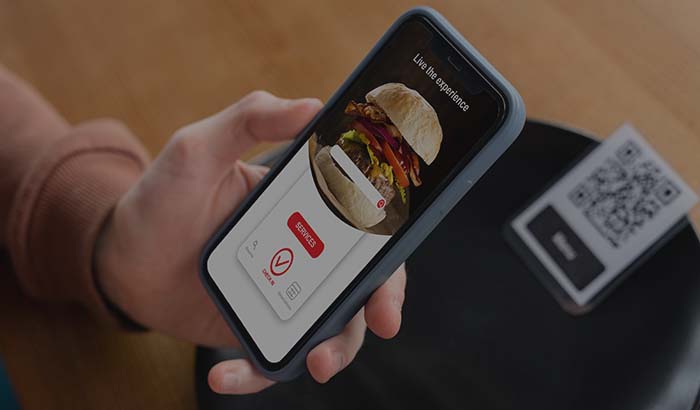
The real strength of a KDS is that it unites a single kitchen screen with all of your sales channels. The commission-free orders from your own site and app, the dine-in orders placed through the QR menu, and the order ticket at the register all come together on the same screen. As you escape marketplace commissions and build your own channel, your kitchen operation is managed from one central point too.
You do not need a separate hardware investment to try a KDS; an existing tablet or screen is enough. You can review the plans on RestApp's pricing page and test the kitchen screen with your own menu using try it free.
Key takeaways
- A KDS (Kitchen Display System) gathers orders from the register, the QR menu, and online channels onto the kitchen screen instead of on paper tickets.
- It organizes the kitchen flow by arranging orders by arrival order, type, and waiting time; it separates dine-in, pickup, and delivery work.
- Thanks to legible digital cards and modifier notes that never disappear, it reduces wrong-plate and skipped-order errors.
- The waiting counter and time data make prep times measurable and help balance station load during peak hours.
- RestApp's KDS brings order tickets, the QR e-menu, and commission-free online ordering channels together on a single kitchen screen.
Frequently asked questions
What is a KDS?+
A KDS (Kitchen Display System) is a setup that shows orders on a screen in the restaurant kitchen instead of on paper tickets. It lines up every order from the register, the QR menu, and the online channel in one flow, sorted by arrival order and waiting time.
What is the difference between a KDS and a thermal ticket printer?+
A thermal printer prints a paper ticket for every order; these tickets pile up, fade, can get lost, and service stops when the printer breaks down. A KDS shows the order on a digital screen, the order only clears from the list once the staff complete it, and the cost of paper, rolls, and ink disappears.
Does a KDS really reduce order errors?+
Yes. Most kitchen errors come from an unreadable ticket, a skipped modifier note, or a lost order. Because a KDS shows the order as legible, persistent cards, keeps the notes clear, and never lets an order be forgotten thanks to the waiting counter, it largely prevents these mistakes.
Do you need special hardware for a KDS?+
No, not necessarily. RestApp's KDS can run on an existing tablet or screen. With the try-it-free option you can load your own menu and test the kitchen screen, then set up a permanent screen based on your needs.
How does a KDS work with online orders?+
Orders from your own site, your mobile app, and the QR menu drop straight onto the kitchen screen. Delivery and pickup orders are labeled separately and the delivery time is shown. That way the orders in your own channel, opened without paying marketplace commission, are handled in the same order on the line.
Does a KDS work in a kitchen with multiple stations?+
Yes. Each station such as the grill, the cold station, and dessert sees only the items assigned to it. This lets every station focus on its own work, the status is updated when an order is ready, and total prep time gets shorter.
Stop paying commission on your orders
Launch your own commission-free online ordering system with RestApp.