


May 27, 2026
What Is an Order Ticket? How It Works in a Restaurant, Paper vs. Digital
An order ticket is the running account that records the items a guest orders in a restaurant, cafe, or similar venue, along with their quantities and prices. When a server says "I opened the ticket for that table," this is what they mean: the record where a table's orders accumulate and the final bill is drawn from. It can be a paper pad or a digital ticket opened on a screen. The core idea is the same: who ordered what, and how much it comes to.
Order tickets used to live in carbon-copy pads. The server wrote the order down, one copy went to the kitchen, another stayed at the register. Today most restaurants handle this through a cloud POS / order ticket system. Orders are entered on a tablet or handheld terminal, hit the kitchen instantly, and keep the table's bill current at every moment. The difference is not just moving from paper to a screen; it largely eliminates errors, lost slips, and leaked revenue.
In this guide we cover what an order ticket is, how it works step by step in a restaurant, the difference between a [digital order ticket](/blog yerine doğru yola koyalım) and a paper one, and why table and order tracking sit at the heart of the operation. It is meant as a short, practical reference for anyone who wants a clear grasp of how order tickets work.
Order ticket
An order ticket is the account in a restaurant or cafe that records the items a table or guest orders, along with their quantities and prices. It is opened when the table sits down, orders are added, and it is closed with payment.
What does an order ticket mean?
The order ticket is the record of a table's or a guest's bill in the restaurant trade. When guests sit down, a ticket is "opened" for that table, orders are added to it, and when the guests are ready to leave the ticket is "closed," meaning the bill is paid. In other words, the order ticket carries the entire process from the first order through to final payment.
A ticket typically shows the table number, the time it was opened, the items ordered and their quantities, unit prices, the subtotal, any comp or discount, and the grand total due. The server, the kitchen, and the register all work from the same ticket. That is why the order ticket sits at the center of the shared language in a restaurant; when anyone says "the ticket for table 3," everyone understands the same thing.
It helps to separate the order ticket from the receipt and the invoice. The order ticket is an internal working document; a receipt or invoice is the official fiscal document issued at the moment of payment. In a modern order ticket and cloud POS setup, the fiscal document is generated automatically the instant the ticket is closed, so the two records always stay in sync.
How does a restaurant order ticket work, step by step?
The process starts when a guest sits down. The server opens a ticket for that table; in a digital system, this is as simple as tapping the relevant table on the on-screen floor plan. The guest orders, the server adds the items to the ticket. Each added item is posted to that table's bill instantly and sent to the kitchen at the same moment.
When the order reaches the kitchen, the kitchen display system (KDS) takes over. The cook sees which table wants what on the screen, prepares it, and marks it ready. This puts an end to the "did the server carry the slip to the kitchen, or lose it" problem. When a table adds to its order, the ticket updates again; even if dozens of line items pile up on a single table, the total is always correct.
When the guest asks for the bill, the server closes the ticket. The system automatically calculates the subtotal, any comp, any discount, and the grand total; payment is taken in cash, by card, or via online payment, and the fiscal document is printed. Every one of these movements flows into cloud reports in real time, so at the end of the day you can see exactly how much revenue each table brought in.
The difference between a paper order ticket and a digital one
With a paper ticket, everything hangs on the server's handwriting and memory. The writing is illegible, the slip gets lost, the wrong item goes to the kitchen, and the total goes off when tables are merged. Worse, a paper ticket leaves the door open to leaked revenue; a ticket can be torn up and thrown out before it ever reaches the register. In a cafe that writes 200 slips a day, like a busy corner coffee shop, these losses add up to serious numbers by month's end.
With a digital, cloud-based ticket, every action is on record. Which server added which item and when, which ticket had a cancellation, who entered a comp; all of it is traceable. Because the order is entered once on a handheld terminal, the wrong item does not go to the kitchen, and because the subtotal is calculated automatically, the total never goes off. Even when the owner is off-site, the cloud back office shows every open table and ticket right from a phone.
Put in terms of a comparison: a paper ticket looks cheap, but its hidden losses are expensive. A digital ticket zeroes out the cost of notepads, reduces staff errors, and makes revenue transparent. If you want to read about order tickets in a broader POS context, the restaurant order ticket and POS system guide walks through this process end to end.
Why are table and order tracking the heart of the order ticket?
The real challenge in a restaurant is not taking a single order; it is managing dozens of occupied tables at once without mixing them up. Which table ordered what, which is waiting for the bill, which just sat down? The order ticket is exactly what brings this chaos into order. Because every table has its own ticket, when the server looks at a table they see its history, its open total, and its status on a single screen.
With a digital ticket, the floor plan is visually in front of you. Empty tables, occupied tables, and tables asking for the bill appear in different colors. When a guest wants to change tables, the ticket moves with a single tap; when two tables merge, their tickets combine into one bill; when a group wants to pay separately, the ticket splits. All of this is a headache that takes hours on paper but seconds in a digital system.
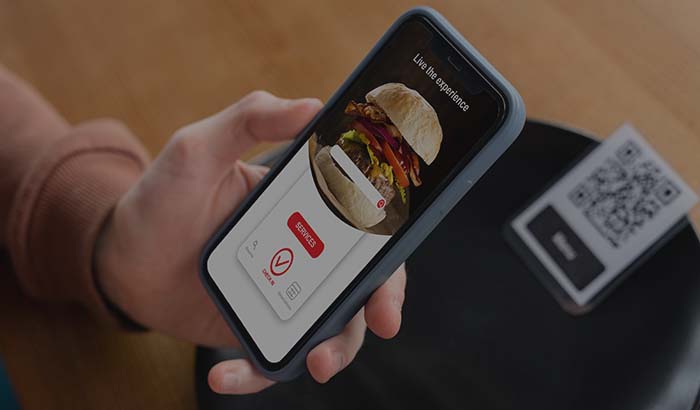
With an order-taking app that makes taking orders at the table easier, the server manages the ticket without leaving the guest's side. On top of that, with the dine-in ordering model the guest can add items to their own ticket from the QR menu, which lightens the server's load and speeds up table turnover.
How does the order ticket connect with QR menus and commission-free ordering?

An order ticket is not just the bill at the table; today it is the structure that consolidates all of a restaurant's order channels into one account. Whether the guest orders from the QR e-menu at the table, asks for delivery at the door, or orders through your own website, each one opens as a ticket in the same system. The server, the courier, and the kitchen all look at the same record.
The critical point here is commission. Every order coming from marketplaces like Uber Eats, Deliveroo, or other delivery platforms comes back to the business as roughly 15 to 35 percent commission on the ticket you opened. If a burger spot like Joe's Burgers takes 1,000 delivery orders a month at an average ticket of around $20, then at 30 percent commission it is paying about $6,000 a month to the marketplace. When those same orders come through your own commission-free online ordering channel, that amount stays entirely with you.
So the modern logic of the order ticket does not stop at digitizing the bill at the table; it also builds the foundation for getting out from under marketplace commission and moving to your own branded order channel. To see the commission difference in numbers, take a look at the marketplace commission vs. your own website comparison.
Which businesses should switch to a digital order ticket?
Every restaurant and cafe with table service benefits directly from a digital order ticket. In a venue turning 20 to 30 tables at once during peak hours, the errors and losses created by paper tickets recover the cost of switching to a digital system in short order. The online ordering and order ticket for restaurants solution brings both the dine-in and delivery sides into a single system.
In fast-paced businesses the picture is even clearer. In fast food and pickup-heavy spots, line speed is everything; the ticket has to open and close on screen in a second. For coffee shops, table turnover and comp tracking come to the fore, and these cannot be tracked accurately on paper.
It is not only about tables; businesses doing pickup and delivery use the order ticket logic too; each order opens as a ticket, gets prepared, and is handed off. Whatever type of business you run, the soundest move before deciding whether to switch to a digital order ticket is to see the system live.
Key takeaways
- An order ticket is the account that records a table's or a guest's orders and total; it is opened, orders are added, and it is closed with payment.
- A paper ticket leaves the door open to errors, lost slips, and leaked revenue; a digital, cloud-based ticket puts every action on record.
- With a digital ticket, merging, splitting, and moving tables takes seconds, and because the total is calculated automatically, it never goes off.
- The modern order ticket unifies every channel, consolidating dine-in, QR menu, pickup, and online orders into a single account.
- On tickets opened through your own commission-free channel instead of a marketplace, the 15 to 35 percent commission stays in your business.
Frequently asked questions
What is an order ticket?+
An order ticket is the running account in a restaurant or cafe that records the items a table or guest orders, their quantities, and their prices. It is opened when guests sit down, orders are added, and it is closed when payment is made.
What is the difference between an order ticket and a receipt or invoice?+
An order ticket is an internal working document that carries the process from the first order through to payment. A receipt or invoice is the official fiscal document issued at the moment of payment. In cloud POS systems, the fiscal document is generated automatically when the ticket is closed.
What is the difference between a paper order ticket and a digital one?+
A paper ticket depends on handwriting, slips can get lost, and it leaves the door open to leaked revenue. With a digital ticket, every action is on record, the order goes to the kitchen automatically, the total is calculated automatically, and open tables can be viewed remotely.
How do you merge and split tables with a digital order ticket?+
In a digital system, two tables can be merged with a single tap and their tickets combined into one bill; if a group wants to pay separately, the ticket is split. These operations, which take hours on paper, are completed on screen in seconds.
How does the order ticket work with QR menus and online ordering?+
In a modern system, orders placed from the table via QR menu, delivery, and online all open as tickets in the same system. On orders coming through your own commission-free channel, you pay no marketplace commission, and the full amount stays in the business.
Do you need to buy a separate device to switch to a digital order ticket?+
Cloud-based order ticket systems run on existing devices like tablets, phones, or handheld terminals; expensive dedicated hardware is not required. You can try the system for free and see which device setup suits you.
Stop paying commission on your orders
Launch your own commission-free online ordering system with RestApp.