

June 11, 2026
How to Choose the Best Restaurant POS System: 2026 Guide
The POS system is the heart of a restaurant. Where the server enters the order, when the kitchen sees it, whether the register balances at close, which item sells how much, whether the beef in stock is about to run out: all of it depends on the POS you choose. When you buy the wrong system, your loss is more than the monthly subscription. A slow order screen costs you seconds at every table and hours during the dinner rush. A system that does not connect online orders to the POS leaves you stuck paying marketplace commission. In this guide we cover, one by one, how to spot the right system, which questions to ask the vendor, and the mistakes restaurants regret most.
When you decide, you need to separate two cost lines. The first is the monthly fee for the POS itself. The second, the real expense most restaurants overlook, is marketplace commission. On every order that comes through delivery marketplaces like Uber Eats, Deliveroo or DoorDash, you pay somewhere between 15 and 35 percent of revenue as commission. A good POS does not just let you open tables; it also helps you build your own commission-free online ordering channel and drop those orders into the order ticket automatically. Reading the selection criteria through this lens makes a serious difference in your annual budget.
You can use the headings below like a checklist. Whether you run a small cafe or a multi-branch restaurant chain, the same questions apply. Along the way we also flag which features you genuinely need and which are just marketing decoration. For a broader infrastructure comparison, you can also read the restaurant POS system guide.
First, clarify your needs: which channels do you sell through?
To pick the right system, you first have to describe your own business. Are you dine-in only, or do you also run delivery and pickup? Do you take online orders? Do you want to move to a QR menu? For a coffee shop, table service and a fast register may be enough, while for a pizzeria, courier management and delivery zone definitions are vital. If you start watching demos before you write out your needs list, you get dazzled by the flashiest feature in the vendor's showcase and forget what you actually need.
A practical method: split the last month's orders roughly by channel. Say you run a place called Corner Coffee; 60 percent of orders are dine-in, 25 percent pickup, 15 percent delivery. That mix tells you which modules are the priority. In RestApp all of these channels come together in one panel; dine-in ordering, delivery and pickup use the same order ticket infrastructure.
Once your needs table is ready, factor in growth too. Even if you have a single branch today, when you open a second one, will you be able to run central reporting in the same system? Whether the system grows with you saves you the pain of switching platforms a year from now.
Commission and total cost: the monthly fee alone is misleading
Most operators look only at the monthly subscription price when choosing a POS. The real cost, however, has three lines: the software fee, the hardware, and most importantly the commission you pay per order. If 15 to 35 percent of your revenue goes to commission on orders from marketplaces like Uber Eats or Deliveroo, a monthly POS subscription is a drop in the ocean next to that figure.

Let's look at a concrete example. Joe's Burgers takes 1,000 online orders a month, with an average ticket of about $12, which works out to roughly $12,000 in monthly revenue. If all of it comes through the marketplace and the average commission is 25 percent, the restaurant pays about $3,000 a month in commission. If it could move half of those orders to its own commission-free online ordering channel, it would keep around $1,500 a month. That is the number that really matters in a POS decision. The right system gives you the chance to reduce marketplace dependence with your own branded ordering site and mobile app.
When you calculate total cost, ask about the hidden lines too: is there a setup fee, do you buy a separate license for each terminal, is extra commission taken on online payments, is support paid? Vendors with a transparent pricing page usually do not spring surprises. This article comparing marketplace commission with the economics of your own channel clarifies the math.
Cloud-based or local? Where does your data live?
Old-style POS programs are installed on a single register computer, and the data lives on that machine. When the computer fails, the panic that follows is familiar to many restaurant owners: the revenue records are gone, with no backup. With cloud-based POS systems, data is stored on a server; you reach the same information from any device, whether register, tablet or phone.
The biggest daily benefit of a cloud system is being able to see everything even when you are not on site. From home, you can check the current revenue on your phone, which table is open, which item has sold out. RestApp's cloud reports and cloud back office modules let you manage everything from a browser, from menu updates to staff permissions. Be sure to ask whether there is an offline mode that keeps working during an internet outage and syncs when the connection returns.
For multi-branch businesses, cloud infrastructure is unquestionably mandatory. Monitoring every branch's revenue, stock status and staff performance from a single screen at headquarters is simply not possible with locally installed systems. Even if you have a single branch, having backups happen automatically on the server side gives you peace of mind.
Are online ordering and QR menu integration tied to the order ticket?
It is not enough for a POS to take online orders; that order has to drop straight into the order ticket and the kitchen without being retyped. Many businesses use a separate ordering site and a separate POS, and the server re-enters every incoming order into the system. That is both a waste of time and a source of errors. In the right system, online orders, the table order ticket and the kitchen screen merge into a single flow.
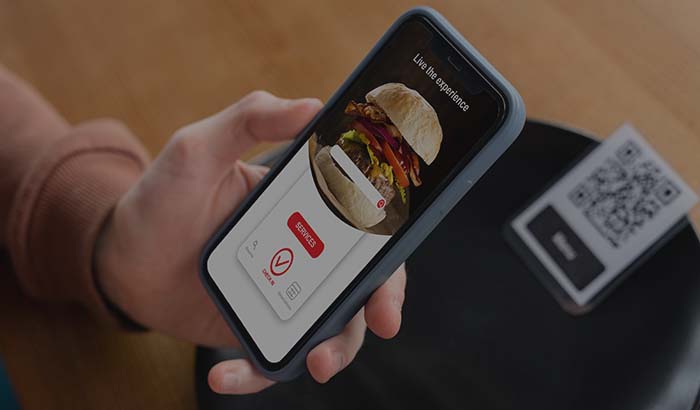
The QR menu should work on the same logic. When a customer scans the code at the table and orders through the QR e-menu, that order should reach the order ticket and the kitchen without waiting for a server. In RestApp, with the digital menu, price and item changes reflect instantly across all channels; the hassle of reprinting menus is over. Plus, thanks to online payment integration, the customer can close the bill at the table from their own phone.
On the courier and delivery side, being able to define delivery zones clarifies which neighborhood you deliver to, in how much time and at what fee. The measure of integration is clear: look at how many hands a single order passes through from customer to kitchen. The fewer human hands that touch it, the better the system.
Kitchen display system (KDS) and order-taking speed
During a busy service, the real bottleneck is communication between the floor and the kitchen. Order tickets printed on a paper slip printer get lost, do not stay in sequence, and it is unclear which order came in when. The kitchen display system, the KDS, lays out incoming orders on screen in color and with timing; the cook sees how long each table has been waiting and clears a finished order with a single tap.
A good KDS also measures prep times. You see, with data, which dish comes out in how many minutes on average, and which shift runs late. RestApp's kitchen display system works by station; cold kitchen, hot kitchen and bar track their own orders on separate screens. You can take a look at this guide that explains in depth what a KDS does.
Order-taking speed is also decisive in the choice. How many taps it takes a server to complete an order on the tablet at the table affects your total capacity during the dinner rush. The simpler and faster an order-taking app is, the shorter the staff training. During the demo, try entering a complicated order yourself; that is the only way to understand the logic of the screens.
Stock, recipe and cost control: this is where your profit leaks out
A restaurant's most insidious source of expense is uncontrolled cost. If you do not know how much of each ingredient goes into a dish, or what the real cost per portion is, the item you think is making money might actually be losing it. A good POS lets you define recipes; on every sale, the relevant ingredients are deducted from stock automatically.
Recipe-based stock tracking solves two things at once. First, you get a warning before an ingredient runs out; you do not run out of patties in the middle of the dinner service. Second, you see the gap between theoretical consumption and the physical count; if there is waste, spoilage or theft, the numbers reveal it. In RestApp's back office, recipe, cost and stock are managed in one place; for menu engineering you can track which item both sells a lot and earns a lot from the cloud reports.
Ask the vendor this question: can you show an item's sale price side by side with its cost? A system that cannot report gross profit margin per item condemns you to run the business on gut feeling instead of numbers. A cheap POS without a stock module is the most expensive option in the long run.
Support, setup and training: are they with you in a crisis?
When the POS goes down on a Saturday night with the floor full, who will you reach? Support is the most underrated yet most critical line in a POS decision. Without a team you can reach by phone that can solve the problem remotely, even the most advanced software turns into a nightmare. Clarify support hours, average response time and support channels before you sign.
Ask about the setup and training process too. Who will enter your menu into the system, who will train the staff, how long will the migration take? Good vendors help you move your existing menu and customer data. A service where you are left to set up the system on your own is an invisible cost. Before you decide, testing a system that offers a free trial during a real shift teaches you far more than the promises in a brochure.
Another measure: how often is the system updated, are new features coming? Software that stays in the same interface for years falls behind as the industry changes. Choose a platform that is actively developed and has a roadmap driven by customer requests.
Loyalty, reservations and tools to bring customers back
Winning a new customer is far more expensive than bringing an existing one back. That is why a good POS does not just take orders; it recognizes the customer and calls them back. A customer who comes through a marketplace is not your customer; their contact details stay on the platform, and you can never reach them again. When you sell through your own channel, the customer data is yours.
Loyalty programs, points collection and targeted campaign tools increase repeat orders. With RestApp's loyalty and promotions module, you can set up mechanics like special discounts for certain customers, birthday campaigns or a gift on the 10th order. This means giving part of the commission you pay the marketplace back to your customer, and getting them used to your own channel.
For businesses that manage table turnover, the online reservation module also makes a difference in the choice. The customer books their table without calling, and you see your occupancy plan in advance. A system that offers loyalty and reservations integrated with the POS fills both the floor and your pocket at the same time.
Key takeaways
- When choosing a POS, look at total cost rather than the monthly subscription; the real expense is the 15 to 35 percent commission paid to marketplaces. A system that builds your own commission-free channel delivers the biggest saving in your annual budget.
- Online ordering, QR menu and the table order ticket should merge into a single flow; look at how many hands an order passes through from customer to kitchen, and the fewer human hands touch it, the better the system.
- A cloud-based system prevents data loss, enables access from any device and multi-branch management; always ask whether there is an offline mode.
- A cheap POS without recipe-based stock and cost tracking is the most expensive option in the long run; you should be able to see gross profit margin per item.
- Ask for a free trial before deciding and test the system during a real service; support hours, response time and setup help should be clear before you sign.
Frequently asked questions
What is the most important criterion when choosing a restaurant POS system?+
Total cost. The monthly software fee alone is misleading; the real expense is marketplace commission. A system that builds your own commission-free online ordering channel and drops online orders into the order ticket automatically makes the biggest difference in your annual budget.
What is the difference between a cloud-based POS and a locally installed POS?+
In a local system, data lives on a single register computer, and if the machine fails there is a risk of losing records. In a cloud-based POS, data is stored on a server; you reach it from any device, whether phone, tablet or register, and multi-branch management with automatic backups becomes possible.
Is a cheap POS system enough?+
A program with a low visible price but no stock, recipe and online ordering integration ends up costing more in the long run. Uncontrolled cost and marketplace commission create a far bigger loss than the subscription fee.
Why is it important for online orders to be tied to the order ticket?+
If they are not, the server re-enters every online order into the system by hand; that is both a waste of time and a source of errors. When online ordering, QR menu and the table order ticket merge into a single flow, the order drops into the kitchen automatically and service speeds up.
What questions should I ask the POS vendor?+
Is there a hidden setup or terminal fee, is extra commission taken on online payments, does it work in offline mode, what are the support hours and response time, do you help with menu and data migration, is there a per-item profit margin report, do you offer a free trial.
Can I test the system before buying?+
Yes, and you should. Testing a POS that offers a free trial during a real shift with a complicated order teaches you far more than the promises in a brochure. You also get to see how quickly the staff adapts.
Stop paying commission on your orders
Launch your own commission-free online ordering system with RestApp.