

March 29, 2026
Cutting Order Errors and Service Time With a KDS: A Kitchen Flow Guide
On a busy dinner service, tickets pour into the kitchen. A server rushing between tables forgets one order, a cook misreads the handwriting, and a plate with onions lands on the table that asked for none. The result is a returned dish, a delayed table, an annoyed guest and cost that goes straight into the bin. Most of these losses come not from the food, but from a break in the kitchen flow. This is where the kitchen display system (KDS) comes in.
A KDS shows incoming orders on touchscreens in the kitchen, split by prep station, instead of on paper tickets. The hot, cold, bar and dessert stations each see their own screen, and every item runs on a timer. Whether the order comes from a table through an order ticket or through a commission-free online ordering channel, it lands in the kitchen at the same standard and fully legible. Handwriting, lost tickets and verbal miscommunication disappear.
In this guide we walk through, step by step, how to cut order errors and service time with a KDS. You will see how to set up kitchen stations, how to organize the flow and which metrics to track in cloud reports, all with concrete examples. The goal is clear: fewer returns, faster service, happier tables.
Where do order errors come from in the kitchen?
Most errors come from a single place: the way an order reaches the kitchen. On a paper ticket the handwriting is unreadable, the ticket falls on the floor, two tables' tickets get mixed up. The server says out loud 'medium rare, no onions' and the kitchen does not hear it over the noise. When a table's order arrives in three rounds, nobody can track which item has gone out and which is still waiting.
The second big source is the lack of coordination between stations. The hot line finishes the main course early while the cold station sends out the salad late; the plates cannot be served together and one of them goes cold. Modifications (extra cheese, gluten-free, no spice) get lost when they are passed along verbally. At this point an error hurts not only guest satisfaction but also your recipe and cost management, because every returned plate is a direct loss.
A KDS digitizes every link in this chain. The moment an order is entered on the cloud POS and order ticket screen, each item drops automatically to the correct station screen. No item is passed verbally, no ticket goes missing, and every modification stays on screen in large type.
Setting up kitchen stations and routing rules
The first step is to map your menu to stations. Define your product groups: grill/hot, cold starters and salads, bar/drinks, dessert, pizza oven, and so on. Then in the cloud back office link each product to the station it belongs to. That way, when a burger combo comes in, the patty drops to the hot screen, the drink to the bar screen and the sauce to the cold station, each separately.
Make the routing rules clear. Even when items from the same table are prepared at different stations, they are tagged as a single 'plate group'; the KDS takes the longest item as the reference and tells the other stations 'start at this minute.' This synchronization makes sure the plates reach the table together and the hot food goes out hot. The order type is also separated on screen by color or label: dine-in, delivery and pickup orders never get mixed up.
Finally, define your time thresholds. Enter a target prep time for each item; when the timer crosses the threshold the item turns from yellow to red. The kitchen lead sees the delayed order at a glance and steers resources there. You set this up once, and it runs automatically on every service afterward.
Merging online and dine-in orders into a single kitchen flow
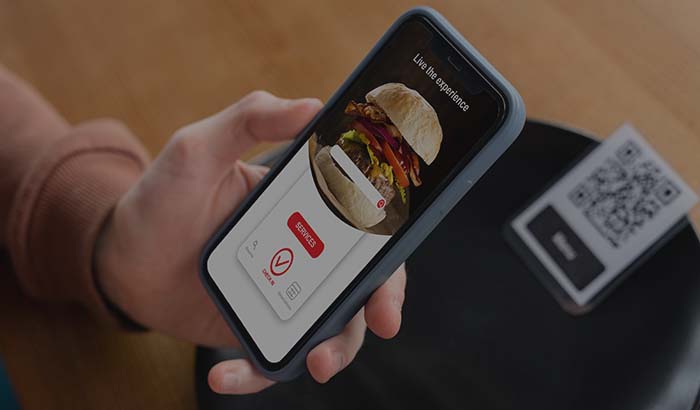
In most operations the chaos comes from managing channels separately. One delivery tablet sits in one corner, another delivery tablet in another corner, the dine-in tickets are at the till, and the kitchen tries to synchronize tickets coming from three different places. A KDS pulls all that clutter onto one screen. Whether it is an order placed at the table through the QR menu or commission-free online ordering from your own site, all of it drops into the same kitchen flow.

The commercial benefit is significant. Marketplace commissions typically run anywhere from 15 to 35 percent. On an order that comes through your own channel that commission is zero, and it is also operationally cleaner, because you have a single flow instead of tablet chaos. The article on marketplace commission versus your own site lays out this difference with real numbers.
A practical example: a cafe was taking 70 of its 120 evening orders through delivery marketplaces. With an average ticket around the mid-range and a 28 percent commission, that meant a serious monthly loss. After moving to its own QR e-menu and online ordering channel and pulling everything into a single KDS flow, the commission burden dropped and, because the kitchen no longer juggled three tablets, the wrong-dish rate fell noticeably.
A kitchen flow layout that shortens service time
Service time is set not only by how fast the cook works, but by how orderly the flow is. With a KDS every item's status, waiting, preparing, ready, becomes visible. When a cook finishes an item, they tap the screen and the item drops off the list; the server sees the 'ready' alert instantly through the order-taking app or the pass screen and picks the plate up without letting it sit. The dead time between kitchen and service disappears.
Station balancing also shortens the time. The KDS shows how many items are piling up at each station. If the hot line is backing up, the lead sees it in real time and redirects help. Because tables with growing wait times turn red, priority is set objectively, and the 'whoever shouts loudest goes first' method ends.
On repeat orders speed climbs even higher. Best-selling combinations become familiar to the kitchen and modifications get standardized. You can track this whole flow as average prep time in cloud reports, spot the slowest items and adjust the menu or the station load accordingly.
Measuring modifications, returns and error rates
You cannot improve what you do not manage. The KDS records when each order was entered, when it was prepared and when it was delivered. So instead of a vague sense that 'we are sometimes late,' you have real prep times and delay rates by station. Returned and canceled items are also logged, so you can see the source of each error one by one.
Modifications are now visible. Notes like 'no onions,' 'medium rare,' 'gluten-free' stay on screen in large type and do not vanish until prep is complete. This simple visibility prevents a significant share of allergen-driven returns and wrong dishes. When you match your regulars' preferences with the loyalty and promotions side, the 'usual' order of a frequent guest also goes out without error.
Track these metrics weekly. Is the average prep time dropping? Is the return rate falling? Which station is the bottleneck? This discipline is the kitchen leg of the holistic approach we describe in the restaurant digitalization guide; small, data-driven corrections add up and raise service quality for good.
What to watch in a KDS setup and a quick start
Screen placement matters. Each station should be able to see its own screen comfortably, protected from gas, steam and splashes. Using a bump bar (a physical button) instead of touch speeds things up in a kitchen where people work with gloves or wet hands. A screen per station, rather than one large shared screen, always keeps the flow cleaner.
Onboard your staff gradually. In the first week keep paper tickets as a backup and run them in parallel with the KDS; once the team trusts the screen, drop the paper entirely. A short pre-service briefing covering the color codes, timer thresholds and the use of the ready button is enough, since the interface is already intuitive.
Before you start, settle your menu and your station map, then test the system under load. You can try RestApp for free, with its structure that pulls all channels into a single flow, and see the real benefit with your own order volume. You can compare the plans and what is included on the pricing page and pick the right starting point for your business.
Key takeaways
- Most order errors come not from the food, but from the way the order reaches the kitchen; a KDS removes paper tickets, handwriting and verbal hand-offs.
- When you map the menu to stations and define routing rules and time thresholds, plates reach the table together and hot.
- Pulling dine-in, online, delivery and pickup orders into a single kitchen flow cuts both the chaos and the marketplace commission (15 to 35 percent).
- The ready button and station balancing cut the dead time between kitchen and service, shortening service time.
- Tracking prep time, returns and delay rates weekly in cloud reports turns small corrections into a lasting gain in quality.
Frequently asked questions
What exactly does a KDS (kitchen display system) do?+
A KDS is a system that shows incoming orders on kitchen screens, split by station, instead of on paper tickets. The hot, cold, bar and dessert stations each see their own screen, and every item runs on a timer. It eliminates handwriting and lost-ticket errors, keeps modifications visible in large type, and shortens service time.
How does a KDS reduce order errors?+
The moment an order is entered from an order ticket or an online channel, it drops automatically to the correct station screen; no item is passed verbally and no ticket goes missing. Modifications like no onions or gluten-free stay permanently on screen. This visibility prevents a significant share of wrong dishes and allergen-driven returns.
Do online orders and dine-in orders show up on the same kitchen screen?+
Yes. An order placed at the table through the QR menu, an online order from your own site, delivery and pickup orders all drop into a single kitchen flow and are separated by color or label. The chaos of juggling separate tablets ends, and channels do not get mixed up.
Does using a KDS really shorten service time?+
It does. Because every item's status (waiting, preparing, ready) is visible, the dead time between kitchen and service disappears. Station balancing surfaces pile-ups early, orders that pass the time threshold turn red, and priority is set objectively.
Is a KDS hard to set up, and will the staff get used to it?+
The setup is done once: you map the menu to stations and define the time thresholds. To onboard staff gradually, you can keep paper tickets as a backup in the first week and run in parallel. The interface is intuitive; a short pre-service briefing is usually enough.
Stop paying commission on your orders
Launch your own commission-free online ordering system with RestApp.