


April 1, 2026
AI Smart Campaigns and Win-Back: Catch the Slow Day and the Customer Who Is Drifting Away
Tuesday night, eight o'clock. The kitchen is ready, the team is fully staffed, but only two of six tables are filled. A regular who came in every week last week has not shown up for three days. Most restaurants only notice these two problems when they look at the end-of-month report, long after the moment has passed. The smart campaign and win-back capability in RestApp AI is built for exactly this gap. It reads which days run consistently slow and which customers have gone quiet, straight from your own order data, then drafts a campaign or coupon aimed at that day or that customer. Sending the message, setting the discount, and launching the campaign stay entirely your decision.
In this article we walk through how the AI detects a slow day, what signal it uses to catch a customer who is drifting away, and what the campaign draft you receive actually looks like, using a concrete restaurant example. The capability sits on top of the loyalty, coupon, and reporting infrastructure you already use in RestApp, so there is no new tool to learn from scratch.
To be clear about where this stands: this capability is currently being developed in early access and is not live yet. The principle that does not change during development is this. The AI suggests and prepares a draft, while the operator is always the one who launches the campaign, publishes the coupon, and has the final say. The AI does not change prices, open discounts, or message customers on its own. Your data belongs to you, it is processed in line with GDPR and applicable privacy regulations, and it is not used to train models shared with other businesses.
We miss you 👋
Here’s 15% off your next order
Why is a slow day so hard to notice?
A restaurant has a weekly rhythm. Friday and Saturday race, Monday and Tuesday take it easy. Everyone knows that much. The real loss hides in patterns that go unnoticed: Tuesday lunches may have been sliding for the past two months, or Wednesday evenings may have dropped by half ever since the weather turned cold. In the rush of service, catching this gradual decline by eye is nearly impossible.
RestApp AI does this work on top of your order history. It pulls out which days and time slots have stayed below expectations for weeks and shows it to you in plain language: 'Tuesday revenue between 12:00 and 14:00 has run 30 percent below normal for the past six weeks.' This finding adds an interpretation on top of the data you already see in cloud reports, so you do not have to spend hours turning filters to find the number.
What matters is that the finding comes with a suggestion attached. When the AI flags a slow Tuesday lunch, it also drafts a lunch menu campaign or a deal for two that could fill that gap. You approve the draft as is, change the discount, or say 'not needed this week.'
What signal tells it a customer is drifting away?
A customer does not leave in a single moment. First the frequency drops. Someone who came once a week slips to once every two weeks, then three weeks go by with no sign of them. This fading is easy to miss on the days when tables are full. Yet the most valuable customer you have is often not a new one but an old one you can win back.
RestApp AI looks at the contact interval in your online ordering and loyalty data. When a customer's normal ordering rhythm is clear, it notices when that rhythm stretches out noticeably. For example, at a home-style restaurant, if a regular who placed roughly a $20 order every ten days for three months has not opened a single order in the past 34 days, the AI flags it as 'churn risk' and prepares a draft to win them back.
This win-back draft usually contains a small, personalized offer: 'We've missed you, dessert is on us with your next order,' or a small discount above a certain amount. The AI prepares the text and the offer; whether to send it, how to adjust the discount, or whether to write an entirely different message is up to you. Targeting only covers customers who have approved marketing consent, so no one is contacted without permission.
What does a campaign draft look like in practice?

Let us make it concrete with an example. Say you run a burger restaurant. The AI detects that Monday evenings have stayed 35 percent below normal for the past five weeks. It brings you this draft: 'Monday Crispy Night, 15 percent off the entire menu between 19:00 and 22:00. Estimated extra: roughly 12 to 15 orders per week.' Alongside it sits a ready-to-use message for your loyalty members.
At this point the decision is entirely yours. You can set the discount to 10 percent instead of 15, narrow the time window, or choose to offer a combo deal instead of a discount. The draft the AI prepares is a starting point, not a final answer. Once you approve, the campaign goes live through the same flow you already know on the loyalty and promotions side.
The value of the draft is that you do not have to stare at a blank screen wondering 'what campaign should I run.' The AI prepares the first answer to which day, which customer, which offer, and you sharpen it with your operational knowledge. You can also judge whether the suggestion fits your recipe cost by weighing it against the data on the recipe and cost side, so the discount does not erode your margin.
How does it combine with existing RestApp capabilities?
This capability does not float on its own; it is built on top of pieces already present in RestApp. Order and revenue data come from cloud reports, customer frequency and points come from the loyalty system, and coupon and discount mechanics come from the promotion module. The AI brings them together and turns them into a suggestion, so you do not have to move data into a separate system.
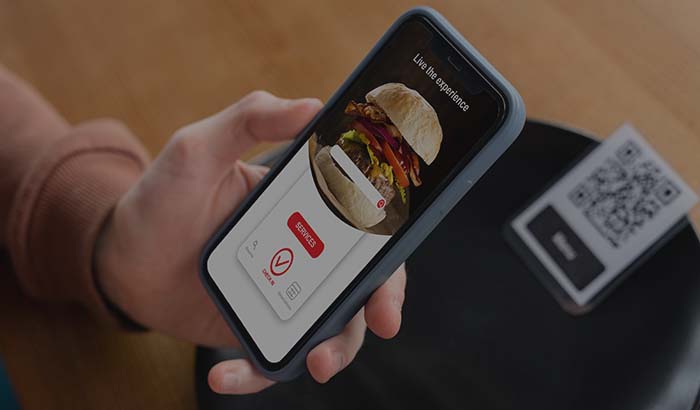
When a campaign is approved, the operations side is ready too. Incoming extra orders land on the kitchen display system (KDS) so the team sees the load, and for a customer browsing from the table by QR, the discount applies directly to the menu. So the 'fill the slow day' suggestion does not stay a marketing idea alone; it fits into your existing flow from kitchen to payment.
This integration holds on the win-back side as well. The AI flags the customer who is drifting away, you send the coupon, and when the customer returns the order runs through the normal process and its contribution shows up in the reports again. Every step of the loop stays inside RestApp, so you do not carry data between scattered tools.
Not live yet: what to expect in early access
To be precise: the smart campaign and win-back capability is currently being developed in early access and is not offered as a live feature yet. This page transparently explains how the capability will work once it ships; it does not claim it is ready today. We are building it step by step and will release the pieces as they are ready.
The frame that will not change is this. The AI does the detection and prepares the draft, the operator makes the decision. Even once the capability goes live, no campaign starts without your approval, no coupon publishes on its own, and no automatic message goes to any customer. The AI's role is limited to suggesting, and you always pull the trigger.
If you become a RestApp user today, the AI capabilities will be added to your account as they ship; since your data is already in place and ready, you will be among the first to try them. To get started, set up your existing menu, loyalty, and order flow with the free trial.
Data security and privacy compliance
Win-back and targeted campaigns work with customer data by their very nature. That is why the boundaries are clear from the start. The AI generates suggestions only with the data in your own RestApp account, only for you. Your customer information is not shared with other businesses and is not used to train shared models.
Targeted messaging covers only customers who have given explicit marketing consent. People without consent do not enter the win-back list. Processing is carried out with GDPR and applicable privacy principles in mind; a customer can withdraw consent at any time, and that choice is reflected in the AI's suggestions as well.
In short, the AI is not a tool that steps outside privacy rules. It works within your existing consent and data management framework. Your restaurant's data belongs to your restaurant; the AI draws suggestions for you from that data and does not carry it to anyone else.
Key takeaways
- The AI reads which days and times run consistently slow from your order data and drafts a campaign to fill that gap.
- It catches the customer who has gone quiet from the stretch in ordering frequency and suggests a small, personalized coupon draft to win them back.
- All suggestions are drafts: setting the discount, editing the message, and launching the campaign are always the operator's decision.
- The capability sits on top of existing RestApp pieces such as cloud reports, loyalty and promotions, and the KDS, with no separate tool required.
- The feature is currently being developed in early access and is not live yet; targeting covers only customers with marketing consent and data is processed in a privacy-compliant way.
Frequently asked questions
Is smart campaign and win-back available now, and when will it ship?+
No, it is not live yet. This capability is being developed in early access. This page transparently explains how the feature will work once it ships; it does not claim it is ready today. We are building it step by step and will release the pieces as they are ready. If you become a RestApp user today, the AI capabilities will be added to your account as they ship.
Does the AI launch the campaign and coupon, or who makes the decision?+
The operator always makes the decision. The AI only detects the slow day or the drifting customer and prepares a campaign or coupon draft. Setting the discount rate, editing the text, and putting the campaign live are up to you. The AI does not change prices, open coupons, or message customers on its own; you always pull the trigger.
Is my customer data safe, and is it used to train the AI model?+
Your data belongs to you and is not used to train shared models. The AI generates suggestions only with the data in your own RestApp account, for you. Processing is carried out with GDPR and applicable privacy principles in mind. Your customer information is not shared with other businesses.
Do win-back messages go to everyone, or is consent required?+
Targeted messaging covers only customers who have given explicit marketing consent. People without consent do not enter the win-back list. A customer can withdraw consent at any time, and that choice is reflected in the AI's suggestions as well. On top of that, the decision to send is still yours; the AI only prepares the draft.
Will the discount the AI suggests cut into my profit?+
This is entirely under your control. The AI suggests a discount rate, but the final decision is yours. You can weigh whether the suggestion fits your cost using your recipe and cost data, lower the rate, or choose a different mechanic such as a combo deal instead of a discount. The draft is a starting point, not a required action.
Do I need to learn a new system to use this capability?+
No. The capability sits on top of the cloud reports, loyalty and promotions, and coupon infrastructure you already use in RestApp. The AI combines these pieces and turns them into a suggestion. The campaign you approve goes live through the flow you already know, and extra orders land on the kitchen display. You do not need to set up a separate tool or move data.
Stop paying commission on your orders
Launch your own commission-free online ordering system with RestApp.