

March 29, 2026
AI Menu Profitability: Which Items Are Stars, Which Are Problems?
You have 60 items on your menu, and most operators rely on a hunch to guess which one actually makes money. A best seller is not always the best earner. A burger that sells 40 plates a day can leave a thin margin per plate, while a rarely ordered specialty pasta quietly brings in strong profit. Menu changes made without seeing that difference usually push the wrong item forward.
RestApp is building an AI feature that looks at menu profitability from your sales and cost data. The idea is simple: score every item on both demand and the margin it leaves, sort items into star, problem, and low performer groups, then suggest a more profitable menu layout based on that. The decision always stays with you. The AI only puts the table in front of you and prepares a draft.
In this article we explain what menu engineering looks at, what data RestApp's AI suggestion relies on, and why the result depends so heavily on accurate cost entry. This feature is currently being built in early access and will roll out gradually inside the RestApp dashboard as it ships.
Selling a lot and earning a lot are not the same thing
Menu profitability deals with two separate numbers: how often an item sells (demand) and what stays in your pocket on each sale (contribution margin). Making a menu decision without reading these two together makes revenue look high while profit stays flat.
Take an example. At a restaurant called The Tasty Stop, the chicken wrap sells 70 plates a day at a price of $9, with an ingredient cost of $5.85, leaving about $3.15 of contribution per plate. The baked dumplings on the same menu sell only 18 plates a day, but at a $12.50 price and a $5.30 cost they bring about $7.20 of contribution per plate. The wrap drives more revenue; the dumplings earn more than twice as much on every plate.
Menu engineering puts these two items in different buckets. An item with high demand and high margin is a star: you protect it and push it forward. An item with high demand but low margin is a problem: you review either its cost or its price. An item with low demand and low margin takes up space on the menu and can often be trimmed.
What data RestApp's AI suggestion looks at
The AI menu analysis we are building uses the data already inside RestApp: how many units of each item sold, at what hours and on which days the orders came in, the item's selling price, and the ingredient cost entered in its recipe. Most of this data is already in your dashboard; the AI combines it into a single table and sorts items along a margin and demand axis.
The result comes back as a plain label for each item: star, problem, low performer. Alongside that, the AI prepares a draft menu layout. For example, it might suggest moving star items to the top of their category, trying a portion or price adjustment on a problem item, or reviewing an item that consistently stays low.
The key point is this: it is a suggestion and a draft. The AI does not change prices on its own, does not remove items from the menu, does not launch campaigns. It reads the table, shows its reasoning, and leaves the decision and the approval to the operator. You know your kitchen, your supplier, and your customer profile best; the AI only brings you what the numbers say.
Everything depends on accurate cost entry
A menu profitability analysis is only as accurate as the cost that goes into it. If an item's ingredient cost is missing or entered with outdated prices, the AI puts that item in the wrong bucket; an item that is actually a problem can look like a star.
That is why the foundation is a solid recipe and cost structure. On RestApp's recipe and cost management side, if you keep how much of each ingredient every item contains and the current unit prices up to date, the profit calculation comes out close to reality. When a supplier price increase comes in and costs are updated, the analysis reflects that change too.
Practical advice: before trying the AI suggestion, review the recipes and costs of your top 15 to 20 sellers. These items carry most of your revenue, so accurate cost on these lines directly determines the accuracy of the analysis. Your efforts to lower food cost in the restaurant rest on the same foundation.
What to do with the star, problem, and low performer groups
Star items are the engine of the business. It makes sense to keep them in a visible spot on the menu, show them at the top of the e-menu, and feature them in server recommendations. The goal here is to protect sales and grow them where possible; you work through visibility rather than playing with the price.
Problem items are the lines that sell a lot but earn little. At The Tasty Stop, the chicken wrap could be such a candidate. The options here are: lower the portion or garnish cost, change the supplier, or raise the price gradually by a small amount. Because demand is high, even a small margin improvement makes a serious difference in the total.
The low performer group is items that both sell little and earn little. You do not need to remove all of them; some complete the menu or hold on to a specific customer segment. But if there is unnecessary length on the menu, this group is the first place to look for simplification. A short, clear menu eases both the kitchen and the customer's decision.
This feature is not live yet, it is in early access
To be straight about it, the AI menu profitability analysis is not yet open to everyone in the RestApp dashboard. We are building the feature in early access and testing it with real menus in the field. We will open it for use gradually as it ships; if you cannot see it in your account while reading this, that is the reason.
What we are doing in this process is making sure the suggestion is genuinely useful and reliable. For an AI suggestion to help an operator, it needs to show its reasoning clearly, warn on incorrect cost entry, and always leave the final word to a human. These principles sit at the core of the feature.
There is no need to lose time waiting in the meantime. Keeping your recipe and cost data tidy, capturing sales through RestApp, and watching the reports lets you get a valuable analysis directly when the feature opens. In other words, tidy records now mean an accurate suggestion later.
How it combines with existing RestApp features
Menu profitability analysis is not a standalone box; it connects to the rest of RestApp. Sales data comes from the order ticket and cloud POS side, item cost is read from the recipe module, and the results become meaningful inside cloud reports. Because they all feed from the same data, a consistent picture comes out.
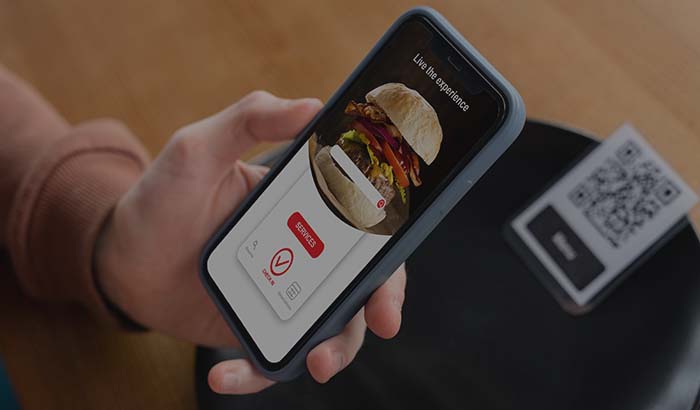
Putting a suggestion into practice also happens with the existing tools. When you want to feature a star item, you change its order in the QR e-menu. On a problem item, instead of a campaign you can set up a targeted offer on the loyalty and promotion side. If you want to balance the kitchen load, the kitchen display system (KDS) data shows which items lengthen the prep time.
So what the AI suggests is a more deliberate version of the work you already do inside RestApp. You arrange the menu, adjust the price, feature an item; the only difference is that you do it by looking at the real margin and demand table of your items rather than by guesswork.
Key takeaways
- Menu profitability looks at two numbers: an item's demand and the contribution margin it leaves. Selling a lot is not the same as earning a lot.
- The AI RestApp is building groups items by margin and demand into stars, problems, and low performers, and suggests a draft of a profitable menu layout.
- The analysis is only as accurate as the cost that goes into it; without solid recipes and current ingredient prices, the result is misleading.
- The AI offers only a suggestion and a draft; it does not change prices, remove items, or launch campaigns. The decision and the approval belong to the operator.
- The feature is not live yet, it is being built in early access; keeping your data tidy now lets you get an accurate analysis once it opens.
Frequently asked questions
Is the AI menu profitability feature available now, and when will it ship?+
No, the feature is not yet open to everyone in the RestApp dashboard. We are building it in early access and testing it with real menus. We will open it for use gradually in the coming period. If you keep your recipe, cost, and sales data tidy during this time, you will get a valuable analysis directly when the feature opens.
Does the AI make the menu decisions, or change prices on its own?+
No. The AI only offers a table that ranks items by margin and demand, plus a draft menu layout. It does not change prices, remove items from the menu, or launch campaigns. The operator makes the decision and gives the approval for every change. The AI shows what the numbers say; you have the final word.
Is my menu and sales data secure, is it shared with other businesses?+
The data belongs to your business and is processed in line with applicable data protection law. Your menu, sales, and cost information are not used to train shared models that other businesses use. The analysis works with your own data, and the results are specific to you.
How does the AI decide which item is a star and which is a problem?+
It looks at two axes: the item's demand, meaning how often it sells, and its contribution margin, meaning selling price minus ingredient cost. An item with high demand and high margin is a star, an item with high demand but low margin is a problem, and an item with low demand and low margin falls into the low performer group.
What should I watch for so the analysis is accurate?+
The most critical point is accurate cost entry. Every item's recipe and current ingredient prices need to be entered into the system. With missing or outdated costs, the AI can put an item in the wrong bucket. Keeping the recipes and costs of your top 15 to 20 sellers current largely determines the accuracy of the analysis.
How does this feature work with the other RestApp tools?+
Sales data comes from the order ticket and cloud POS, item cost comes from the recipe module, and results appear in cloud reports. When applying a suggestion, you move a star item forward in the QR e-menu, set up an offer on the loyalty side for a problem item, and balance the kitchen load with KDS data. They all feed from the same data.
Stop paying commission on your orders
Launch your own commission-free online ordering system with RestApp.